Suites — run many tests together
A single .trq is one journey. A suite is a named, durable group of them that you run together and read as one result: "checkout smoke", "nightly regression", "the flows that matter before a release".
A suite is its own file — a .trq-suite bundle that lives in your project next to the sessions, so it's versioned and shareable like everything else. It remembers which sessions belong, how to run them (one after another, or in parallel), and its tags — and it produces a single roll-up report with every session's full detail inside.
Create a suite
Right-click a folder in the Explorer → New Suite here…, and fill the dialog:
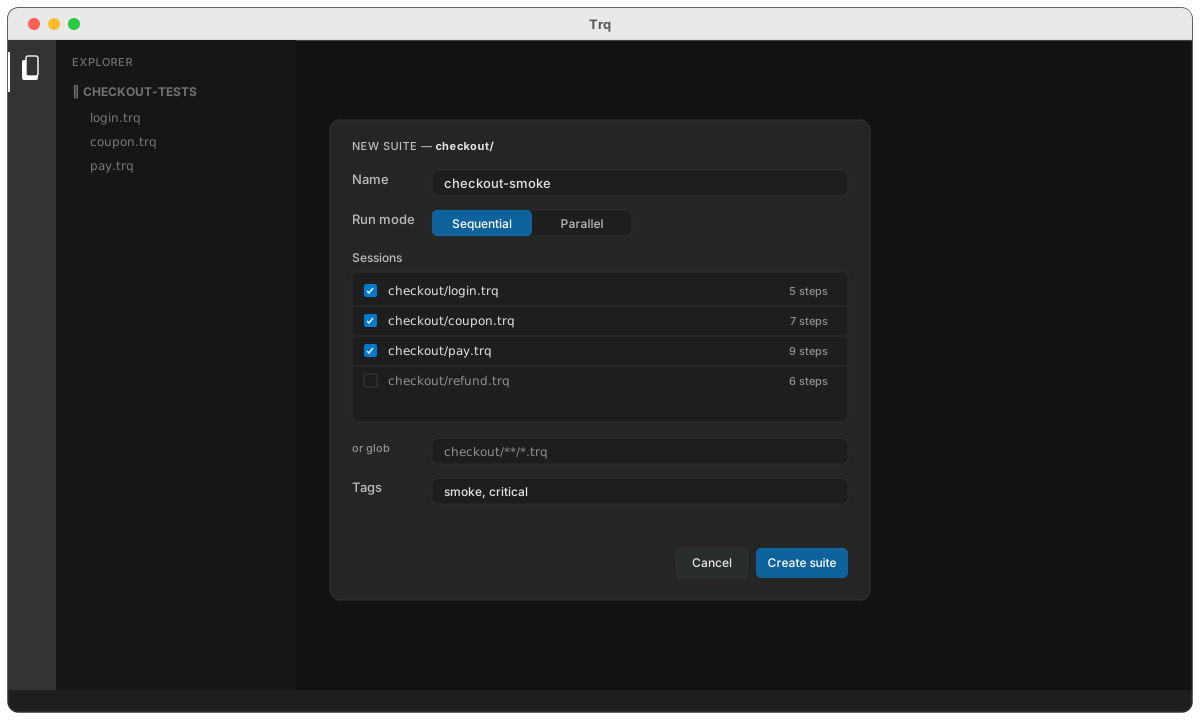
- Name — what the suite is called in the Explorer and the report.
- Run mode — Sequential (one session at a time, clean state between each) or Parallel (several at once — faster for independent journeys). You can change this any time.
- Sessions — tick the journeys to include. Sessions in the suite's own folder are listed first; the rest of the project is still selectable.
- or glob — instead of (or alongside) explicit ticks, match by pattern:
checkout/**/*.trqpulls in everything undercheckout/, including sessions you add later. Explicit picks and the glob are unioned and de-duped. - Tags — free labels (
smoke,critical) shown on the suite and in the report.
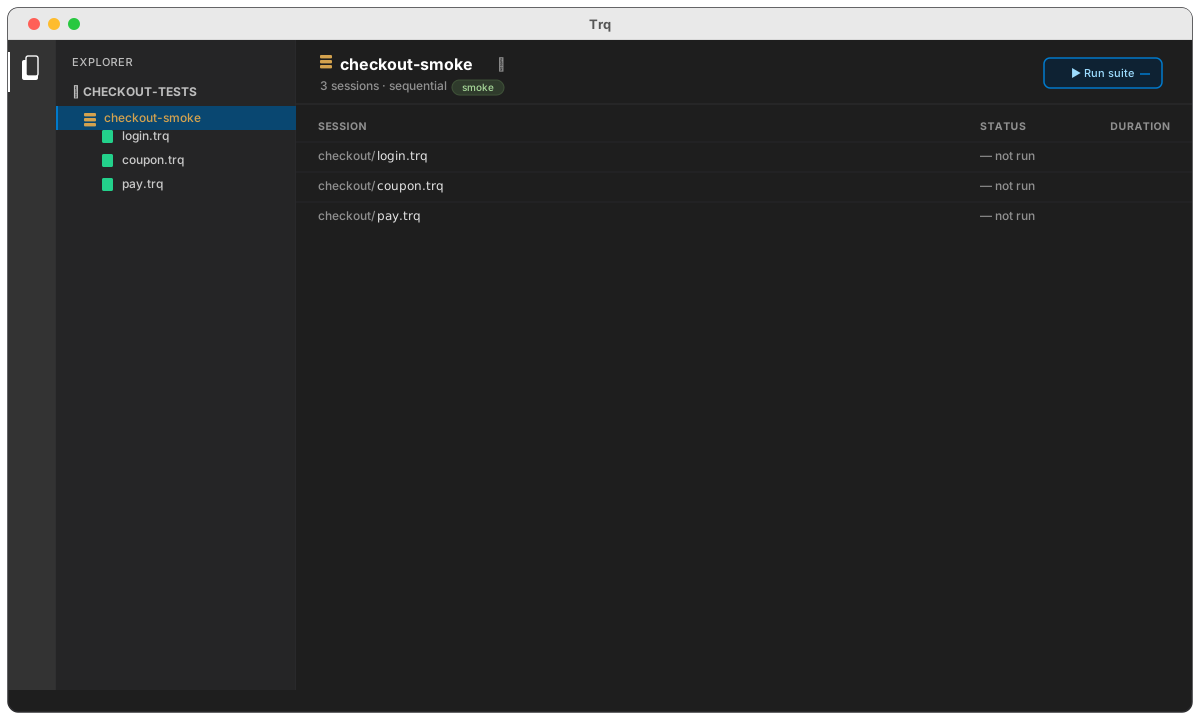
The suite lands in the Explorer as a gold layers node. Its members appear beneath it, and each session still stands alone — a suite references sessions, it never copies them, so editing login.trq updates every suite that includes it.
Run it
Select the suite and press ▶ Run suite. Each session runs on a fresh, isolated browser state (cookies and storage cleared between runs, exactly like a normal playback), and the results fill in live as a matrix — one row per session, with its status and duration the moment it finishes:
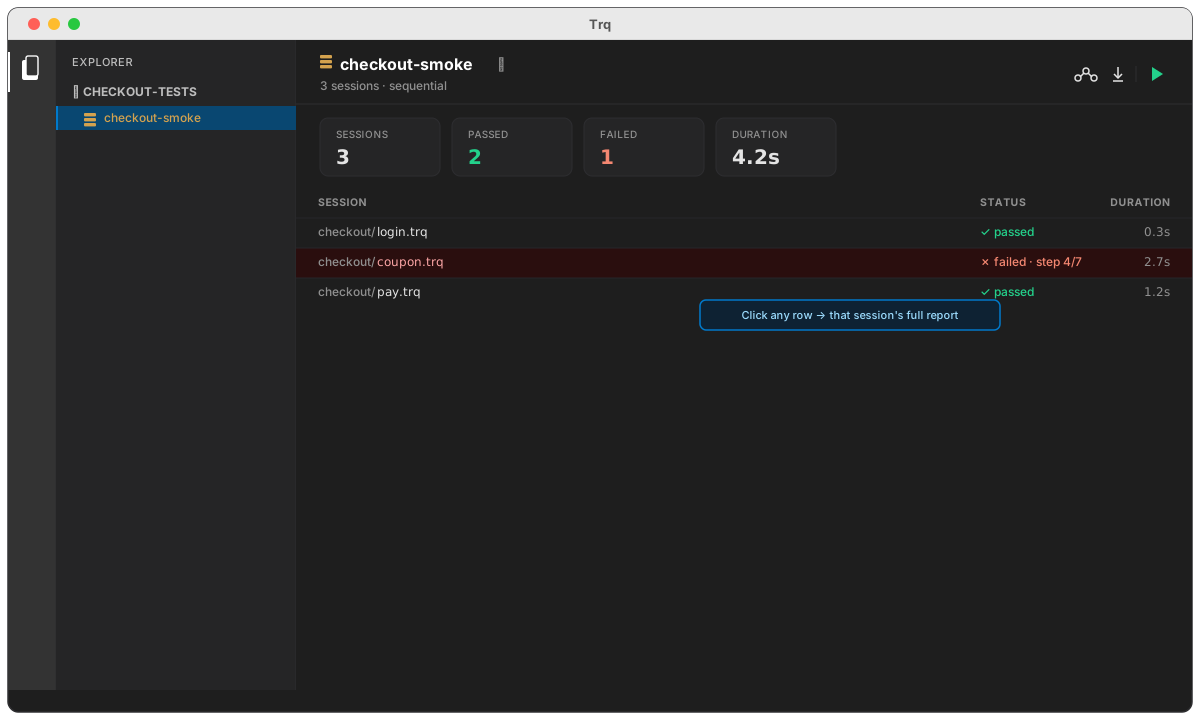
- Summary tiles — sessions, passed, failed, and total duration, updated as the run progresses.
- The matrix —
✓ passed,✗ failed · step 4/7,▸ running…, or— not run, with each session's duration on the right. Failed rows are tinted red. - Parallel mode runs several sessions at once (a worker pool sized to your machine), so a suite of independent journeys finishes in a fraction of the sequential time. Sequential mode is the safe default when journeys might share account state.
The report
Every run produces the same rich report you get from a single session — just wrapped with a session rail so you can move between them. Click View report (or click any row in the matrix to jump straight to that session).
The default view is the Suite summary: the tiles plus a table of every session with its status, step count, duration, and — for failures — the reason inline.
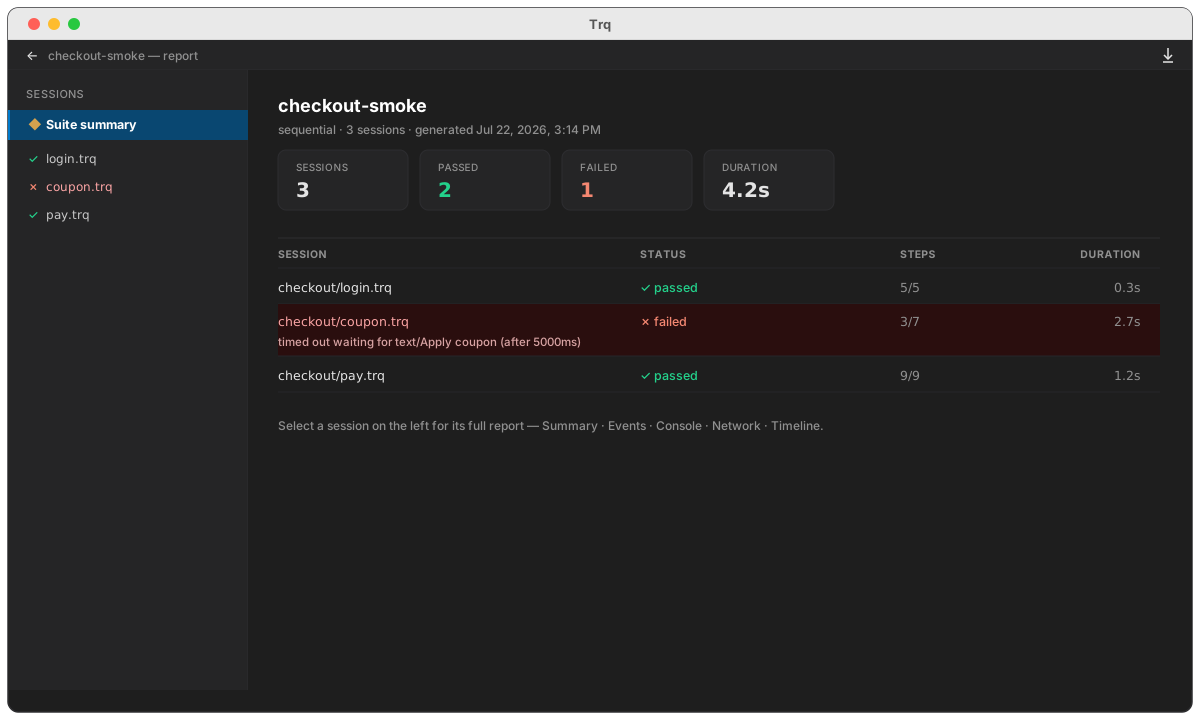
Pick any session in the rail to open its full report, with all the familiar tabs — Summary · Events · Console · Network · Timeline — including per-step screenshots on the Timeline:
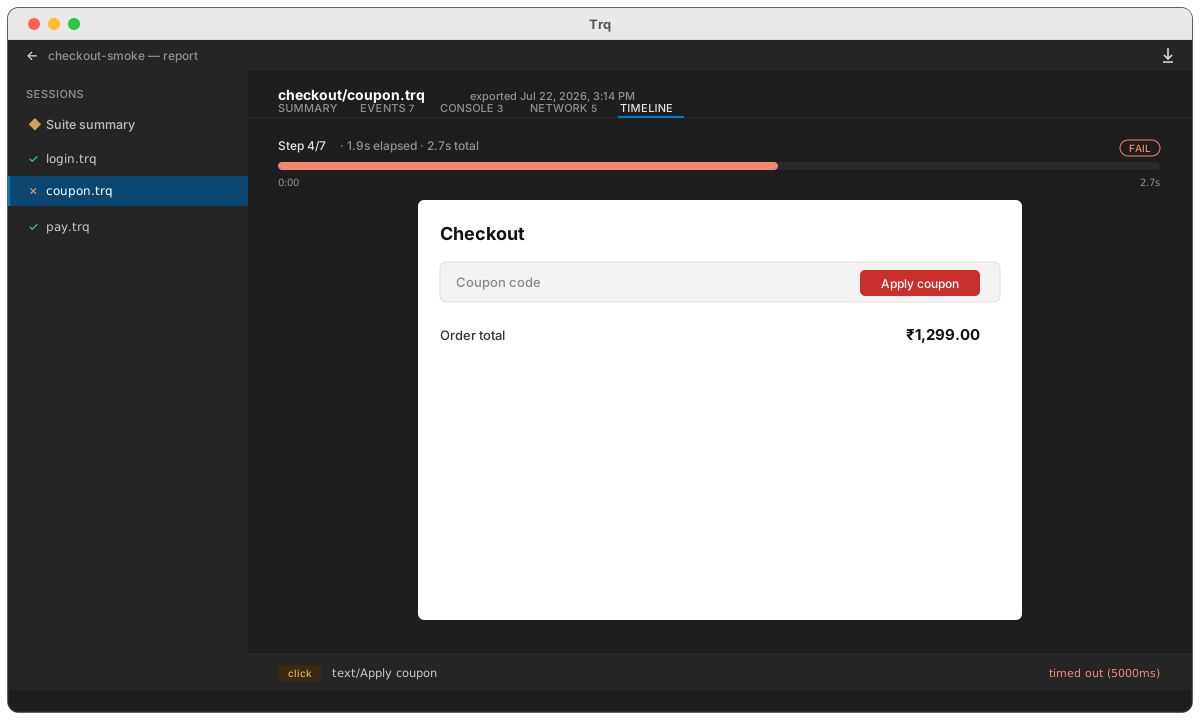
Press Download report to save the whole thing — rail, summary, and every session's tabbed detail — as one self-contained .html file you can attach to a ticket or share with your team. It needs no server and opens in any browser.
Run from the CLI
Suites run headless from the terminal too, so they drop straight into CI or a cron job:
trq play --suite checkout-smoke
The runner honours the suite's own mode; add --parallel --workers=4 to override it, or --sequential to force one-at-a-time. It exits non-zero if any session fails, so a pipeline step goes red on the first broken journey.
Members are stored as paths (and globs), not snapshots. Rename or move a session and update the suite; delete a session and it simply drops out of the matrix on the next run. One source of truth per journey — the suite is just a lens over them.