Mock network responses
Network mock records the API responses your app receives while you record, then serves those recorded responses back on replay instead of hitting the real backend. Use it to make replays fast, deterministic, and offline-capable — a flow replays the same way even when the backend is down, slow, or returns different data each run. (Static assets — HTML/JS/CSS/images — always load live; only API calls, i.e. fetch/XHR, are mocked.)
Turn it on
Open Settings → Network mock:
- Capture — snapshot API responses into the
.trqfile while recording. Optionally narrow with an allowlist (one URL glob per line, e.g.*/api/*); blank captures every API call. - Serve — serve the recorded responses on replay. It's on by default once a snapshot exists; uncheck it to hit the live API again (the snapshot is kept).
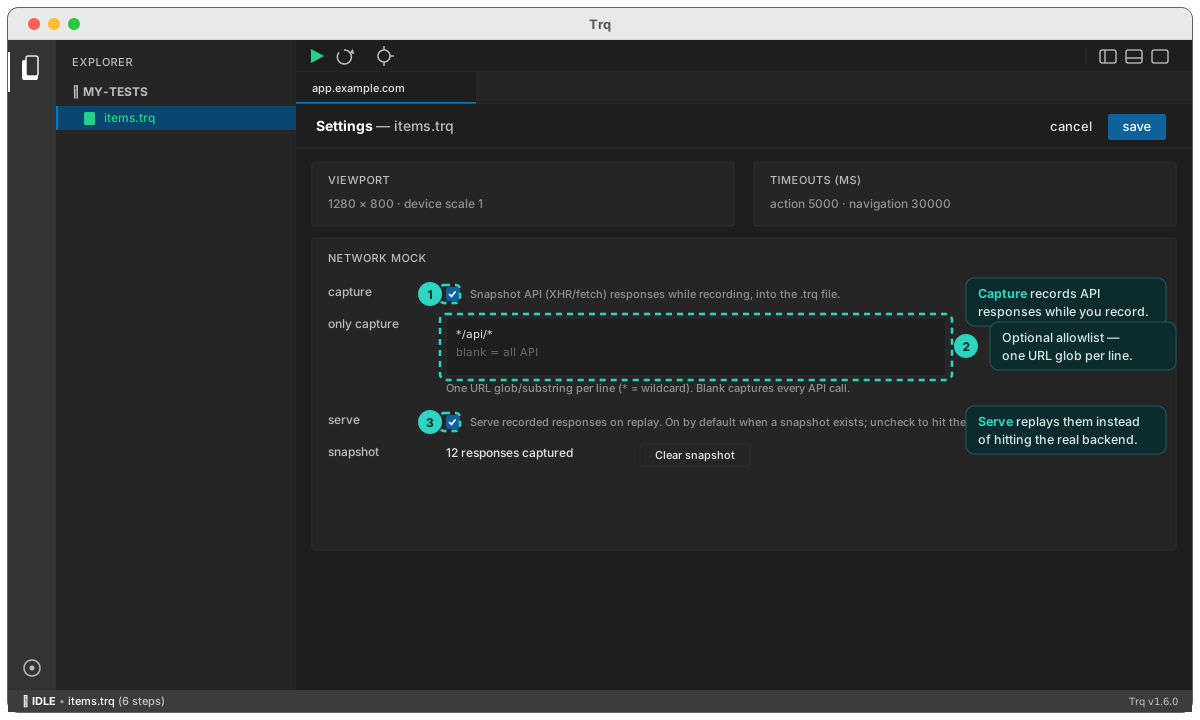
Then record your flow as usual and Play — matching requests are answered from the snapshot. Unmatched requests pass through to the live network.
How matching works
Each recorded response is matched to a replay request by method + URL, in the order they were recorded. This handles apps that send many calls to the same endpoint (a single API gateway) — the 1st call gets the 1st recorded response, the 2nd gets the 2nd, and so on. When the request body is available it's used as a tie-breaker. If a polling endpoint is called more times on replay than were recorded, the last recorded response is repeated (so the flow doesn't stall).
Review & edit the snapshot
In the bottom panel's Network tab, the ◉ Mocked view lists every recorded response. There you can:
- Curate — select rows and Keep only / Remove to trim the snapshot.
- Edit a response — open a row → Edit to change the body, status code, and response headers. Flip a
200to a500, or return a custom payload, to test error and edge-case handling. Edited rows show an· edited ·badge.
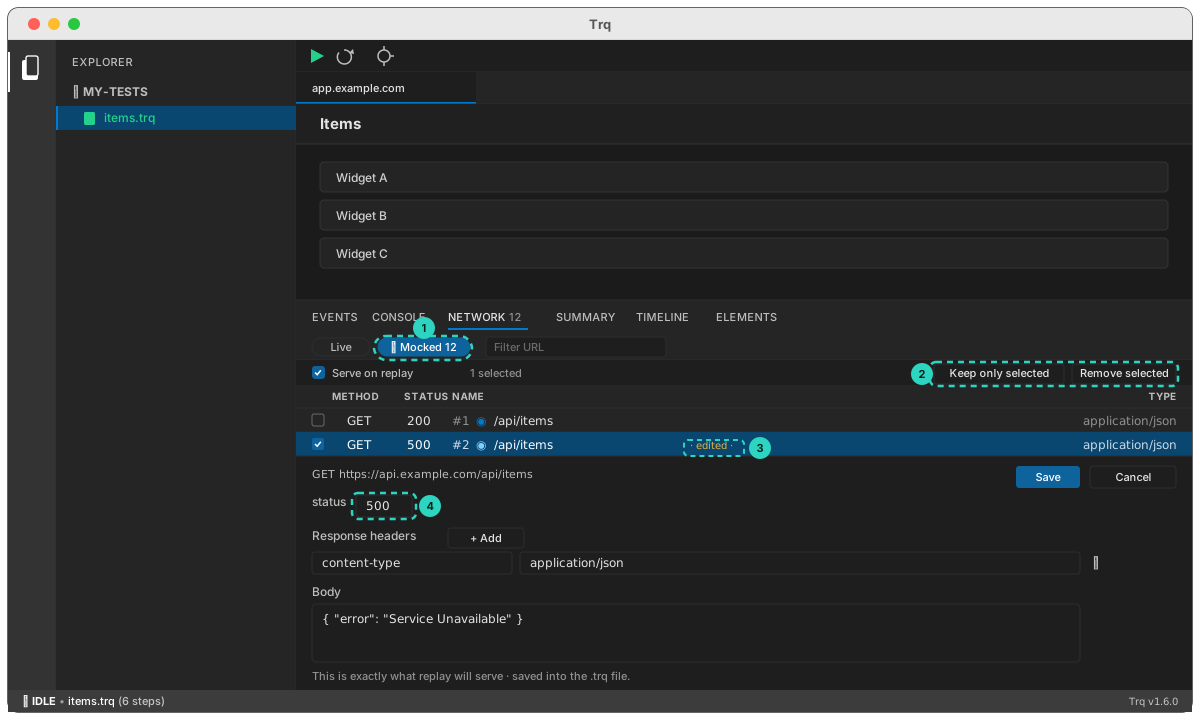
Generic example
Say a page loads a list from GET https://api.example.com/items:
- Settings → Network mock → Capture on. Record: open the page, Stop. The snapshot now contains the
GET /itemsresponse. - Edit that entry's body to a known list (e.g.
{ "items": [] }) to test the empty state, or set its status to500to test the error banner. - Play → the page renders your mocked response, with no real API call. Toggle Serve off to run against the live API again.
Responses that the app cryptographically binds to each request (e.g. a fresh per-request nonce/signature it re-validates) can't be replayed by any network mock — the recorded bytes are served correctly, but the client rejects them. That's a property of the app, not Trq.