Network capture
The Network tab shows the app's network calls while it records or replays — the same request inspector as web, populated for a native app. Capture happens during a run, and a fresh run clears the previous list.
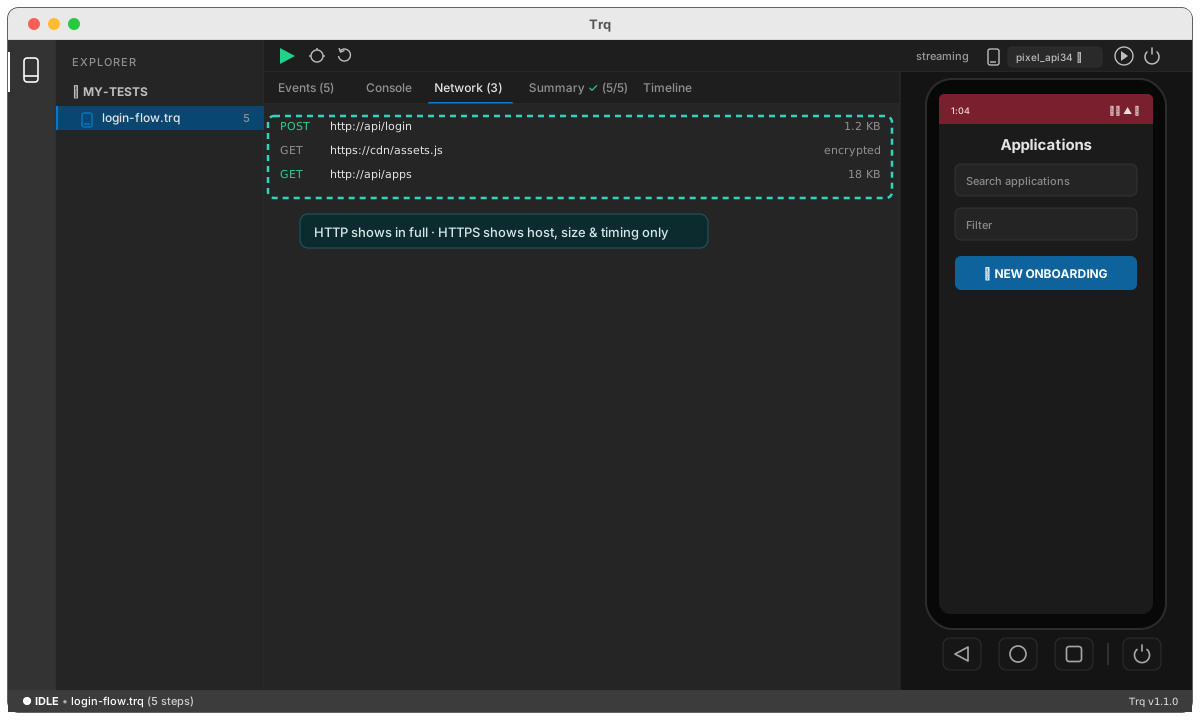
What's captured
- HTTP calls show in full — method, URL, status, request/response headers, and body.
- HTTPS calls show host, size, and timing only — the body is encrypted, and the row says so — unless you turn on inspection (below).
HTTPS inspection
For deeper visibility you can enable HTTPS inspection in the mobile settings drawer → Network. When it can, Trq decrypts HTTPS bodies so they show in full and can feed mocking.
Honest limits
Decrypting HTTPS needs a rootable emulator image, and it can't work against an app that pins its certificates or ships its own trust store — those apps simply won't hand Trq the plaintext. HTTP and HTTPS metadata always work without any of that. Trq tells you on the row when a call can't be decrypted.