Record step(s) in the middle of a test
You don't have to re-record a flow to change its middle. Right-click a step in the Events panel → Record step(s) here: Trq replays the flow up to that point, then drops into recording so your new steps are inserted right there, before the rest of the flow.
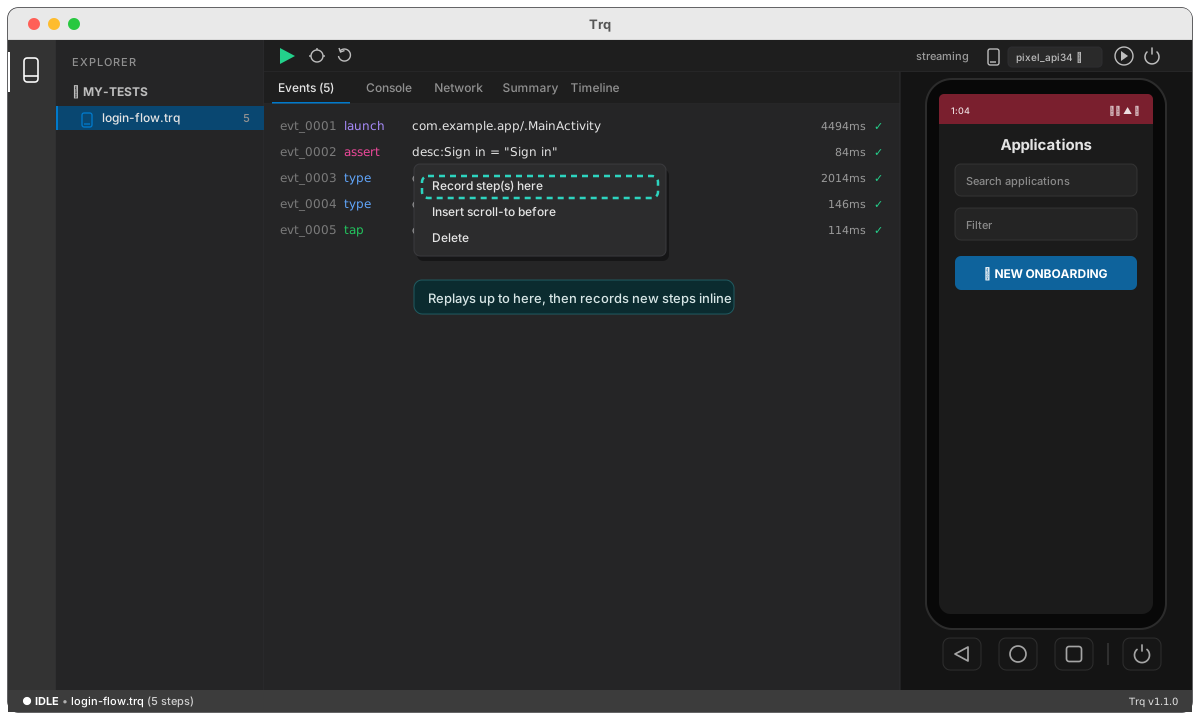
The same menu has Insert scroll-to before — a one-click way to add an explicit scroll with the selected step's own target, right above it. It's the robust fix for a tap or assert that sits below the fold (see reliability).
And while paused on a failure, right-click an earlier row → Replay from here to re-run from the real upstream cause.