Record your first mobile test
Mobile testing needs the Android SDK and a virtual device — do the one-time Android setup first.
Launch the Trq app. Mobile uses the same studio as web — a Mobile session simply swaps the center for a live Android emulator. You'll go from an empty folder to a recorded, replayable Android test in about a minute — no code.
1. Open a project
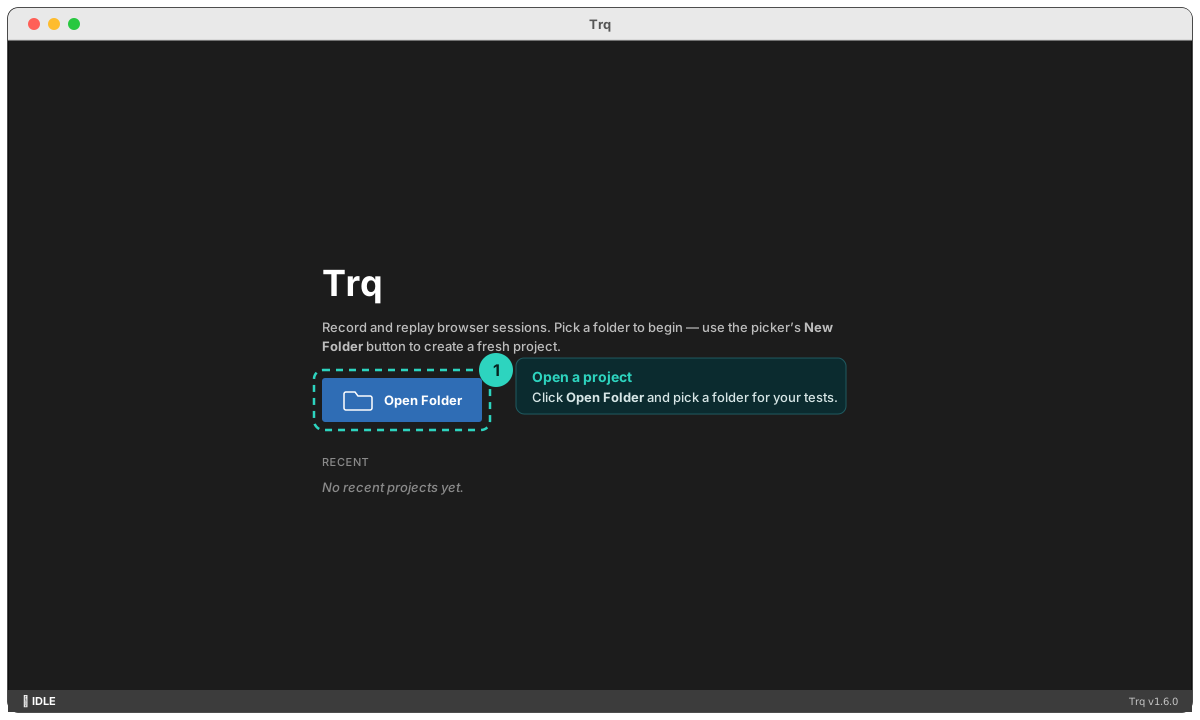
On the welcome screen, click Open Folder and pick (or create) a folder for your tests. Each session is saved there as a single .trq file, so a project is just a folder of .trq files — web and mobile sessions live side by side.
2. Create a Mobile session
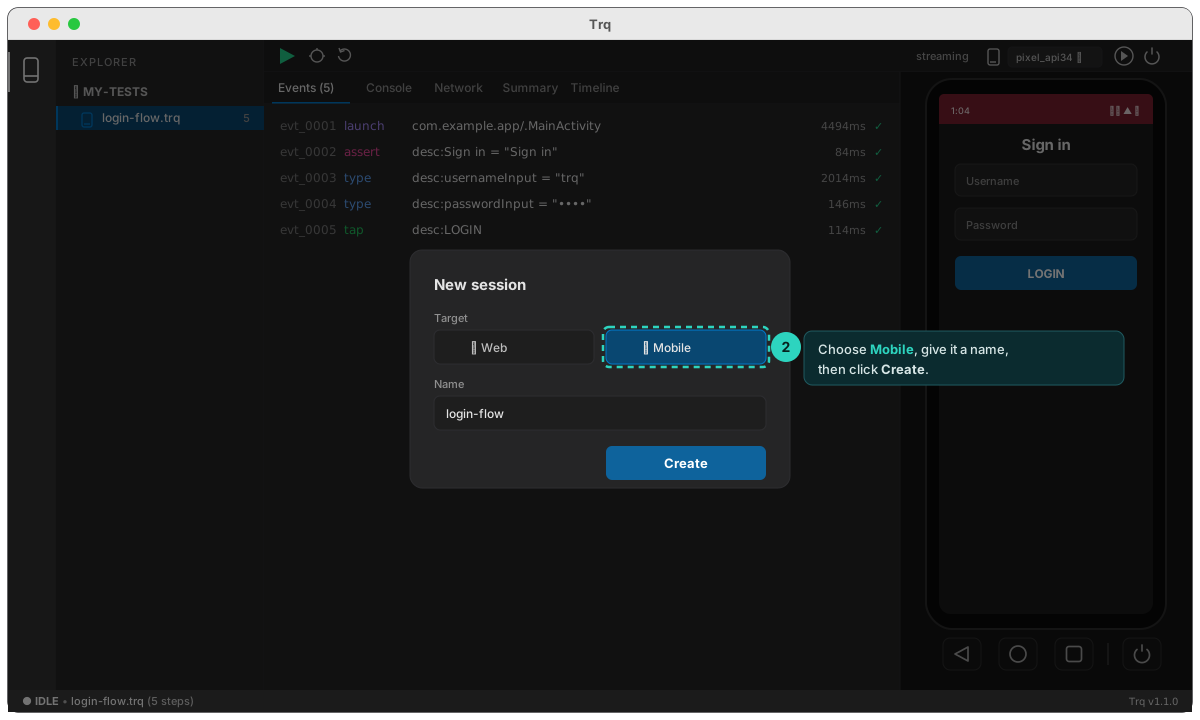
In the EXPLORER sidebar, click + New session. In the dialog, choose Mobile (the toggle next to Web), give it a Name like login-flow, and click Create.
3. Boot the emulator
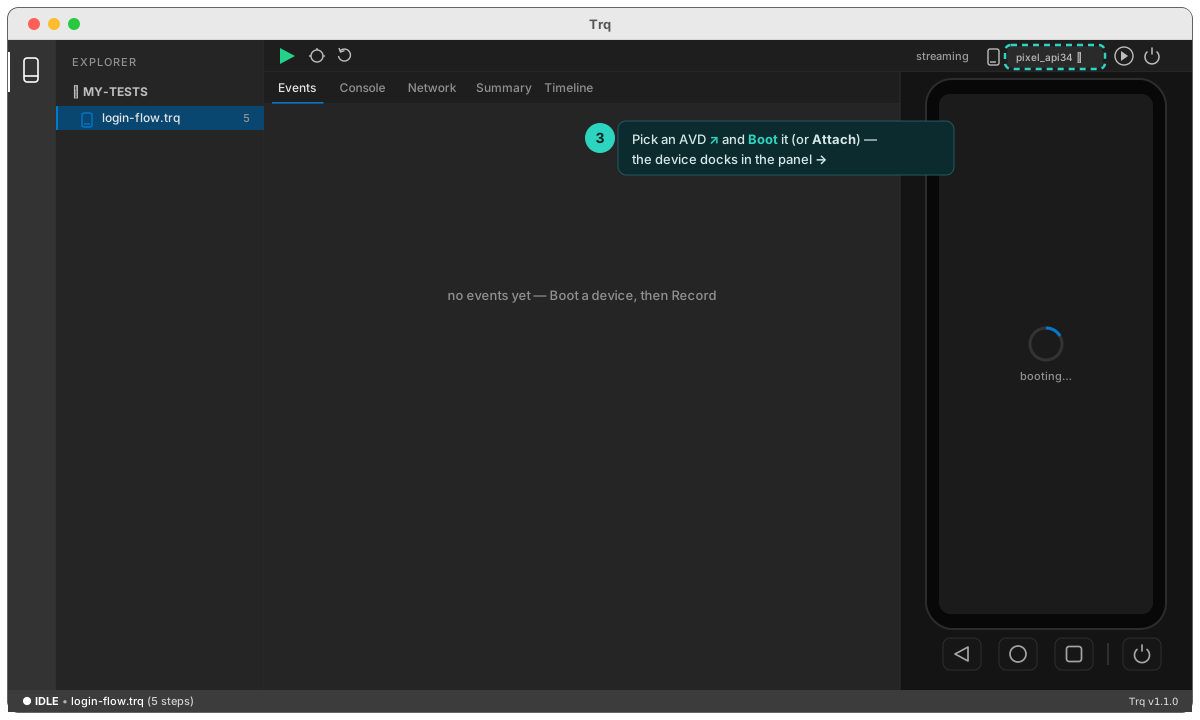
With the mobile session selected, pick one of your AVDs and click Boot to start it headlessly inside Trq — or Attach to an emulator you already have running. The device appears in the center panel, and you can drive it directly, including the on-screen Back / Home / Recent / Power bar.
4. Record
Click the red ● Record button. Trq asks for the app to launch — enter its package (e.g. com.example.app) and it clean-launches the app as step 1. (Leave it blank to record whatever is already on screen.)
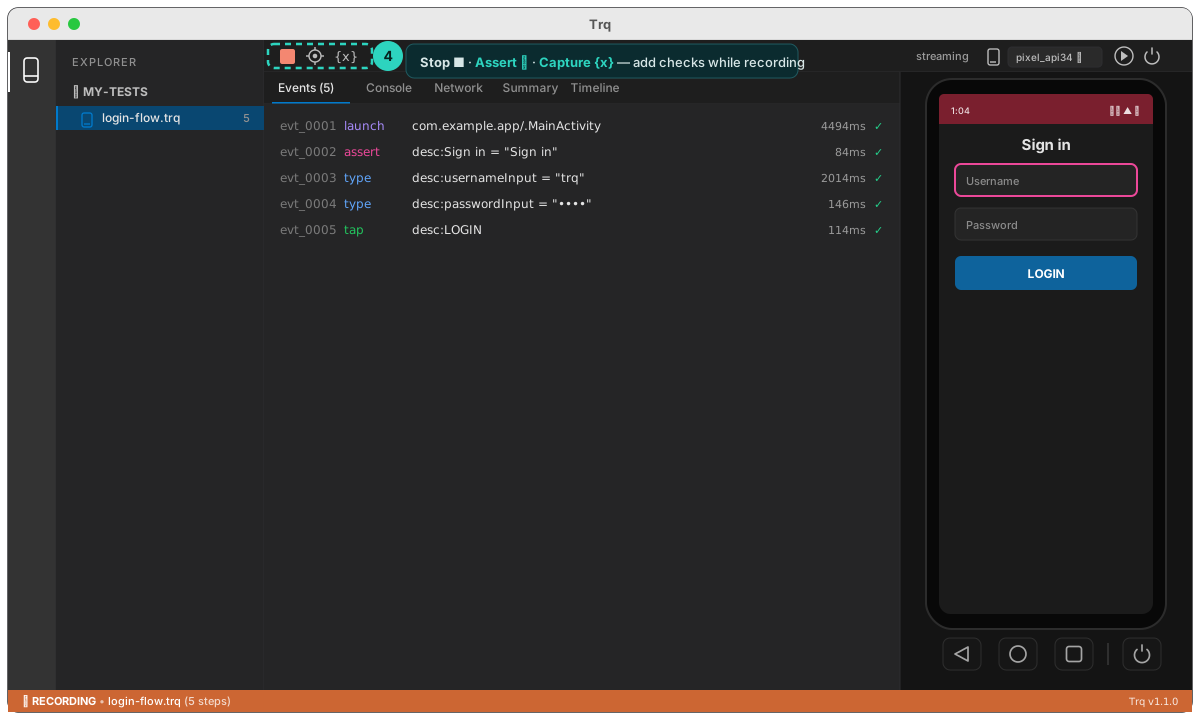
Now drive the device like a normal user: tap, type, scroll. Every action streams into the Events panel at the bottom as a self-healing step, and the toolbar gains Assert ✛ and Capture {x} so you can add checks and pull values off the screen as you go.
5. Play it back
Click ■ Stop, then ▶ Play. Trq brings the app to a clean state and replays your flow from step 1 — deterministically. Each step turns green with its timing, and the Events header shows ✓ all passed.
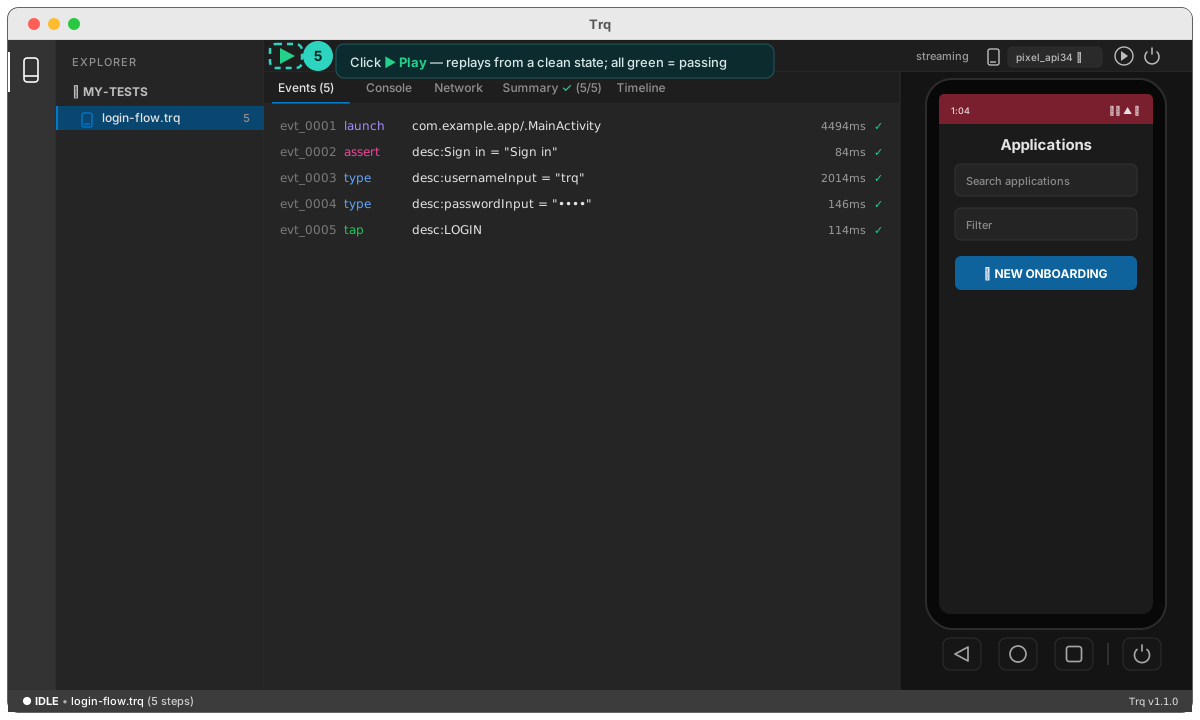
That's a complete mobile test — recorded, saved, and repeatable. Next: author assertions and gestures while you record, so your tests check the right things.