The emulator
Trq drives an emulator or a plugged-in phone through the same panel, and the same session runs on either — see A real phone for USB debugging and device states. This page is about emulators.
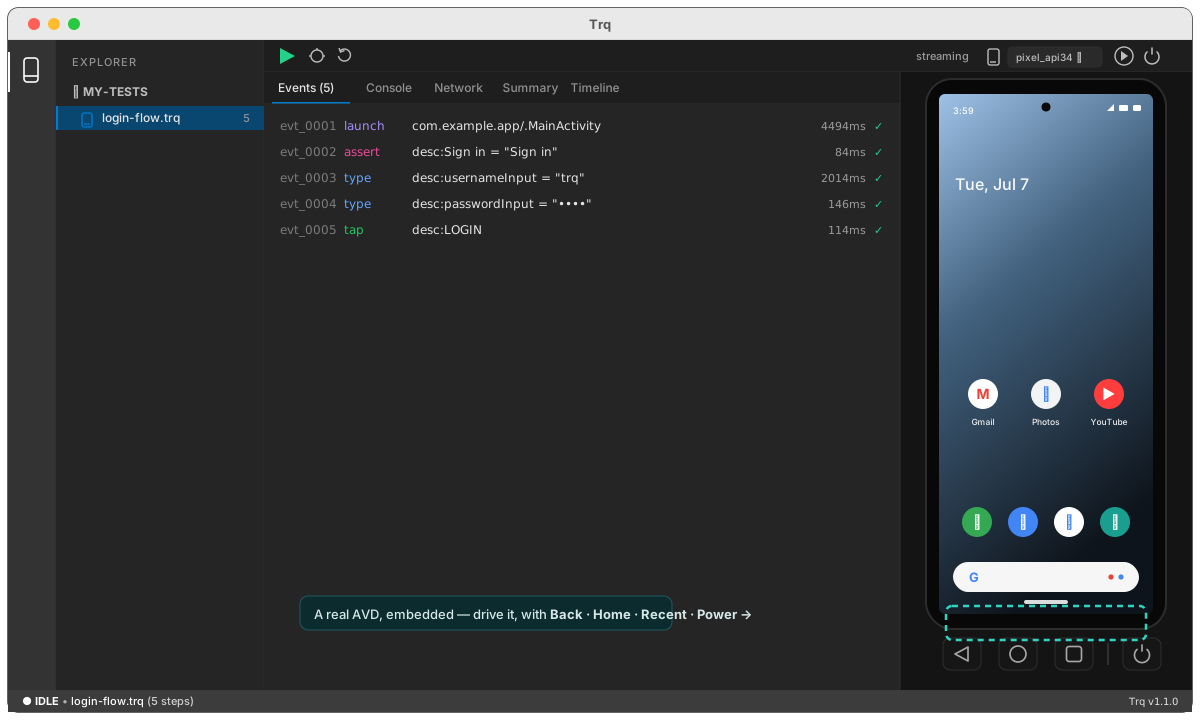
A mobile session runs a real Android AVD embedded inside Trq, the way a device shows up in Android Studio's "Running Devices" — low latency, no separate window.
Picking a device
The control above the device panel lists everything Trq can reach, and it always names the device you are driving:
- Connected — running emulators and plugged-in phones, side by side. Picking one switches to it immediately.
- Start an AVD — emulators you have but aren't running. Picking one starts it; the row is an action, not a selection.
An emulator that is already running is picked up on its own, so there is no separate attach step.
Trq runs one emulator at a time — it owns a fixed serial and port — so starting an AVD stops whichever one is running. It asks first when that would cost you something, and just starts when nothing is up. Booting takes about half a minute; the panel shows each stage, and the control reads Starting <name>… with a blue dot until the device is actually drivable.
AVDs start headlessly: the only display is Trq's canvas. The device appears in the panel and you interact with it directly — tap, type, scroll — plus an on-screen Back / Home / Recent / Power bar.
Works across screen sizes
Coordinate-based steps (a tap on an element with no stable locator, a swipe, a long-press) record the device resolution they were captured at. On replay, if the current device is a different size, Trq scales those coordinates to it — so a flow recorded on one screen still runs on another.
To set up the AVD in the first place, see Android setup.