Record step(s) in the middle of a test
Sometimes you finish a recording and only then realize a step is missing in the middle — e.g. you recorded 10 steps but a click belongs between step 5 and step 6. Record step(s) here lets you insert real, recorded steps at any point without re-recording the whole flow.
What it is
A right-click action on any event row that replays the test up to that point, then drops into recording — with everything you do landing inserted at that position instead of appended to the end. It's "Resume", but starting from a step you choose instead of the end.
Why replay first? A real click needs valid selectors and coordinates captured against the page in the exact state it's in at that point in the flow. You can't author that reliably by hand — so Trq puts the page back into that state (by replaying the earlier steps) and lets you perform the new interaction live.
How to use it
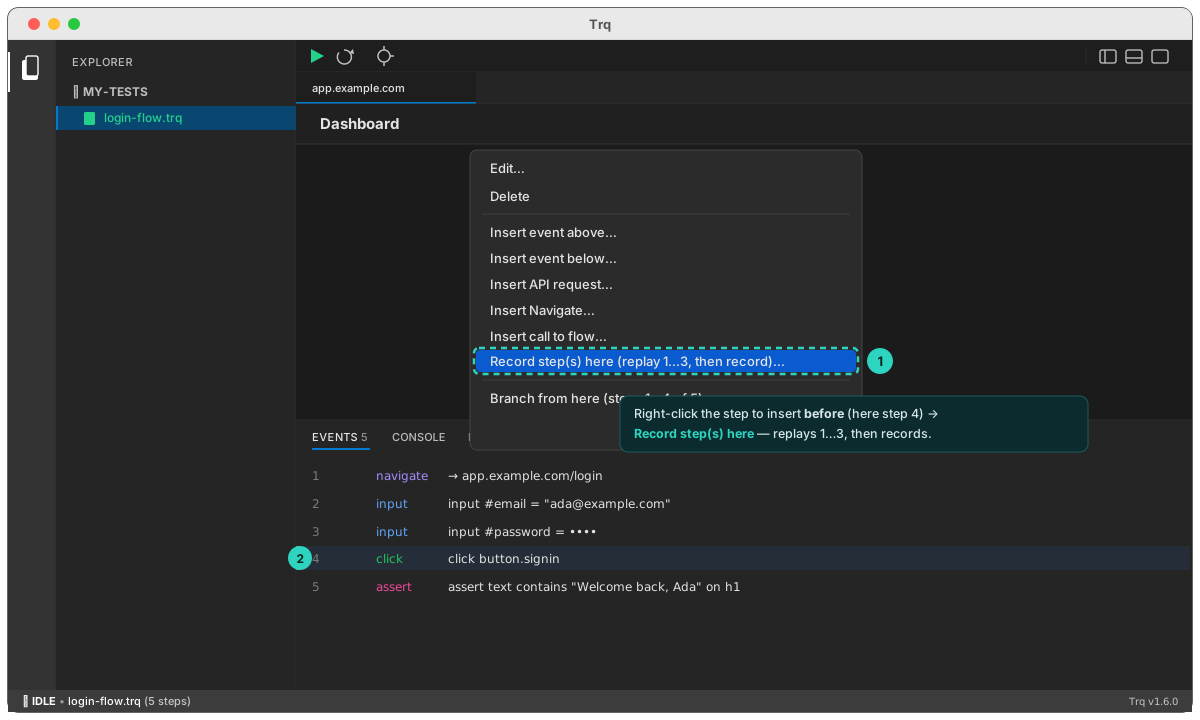
- Open the Events tab and right-click the step you want to insert before (e.g. right-click step 6 to add something between 5 and 6).
- Choose "Record step(s) here (replay 1…N, then record)…".
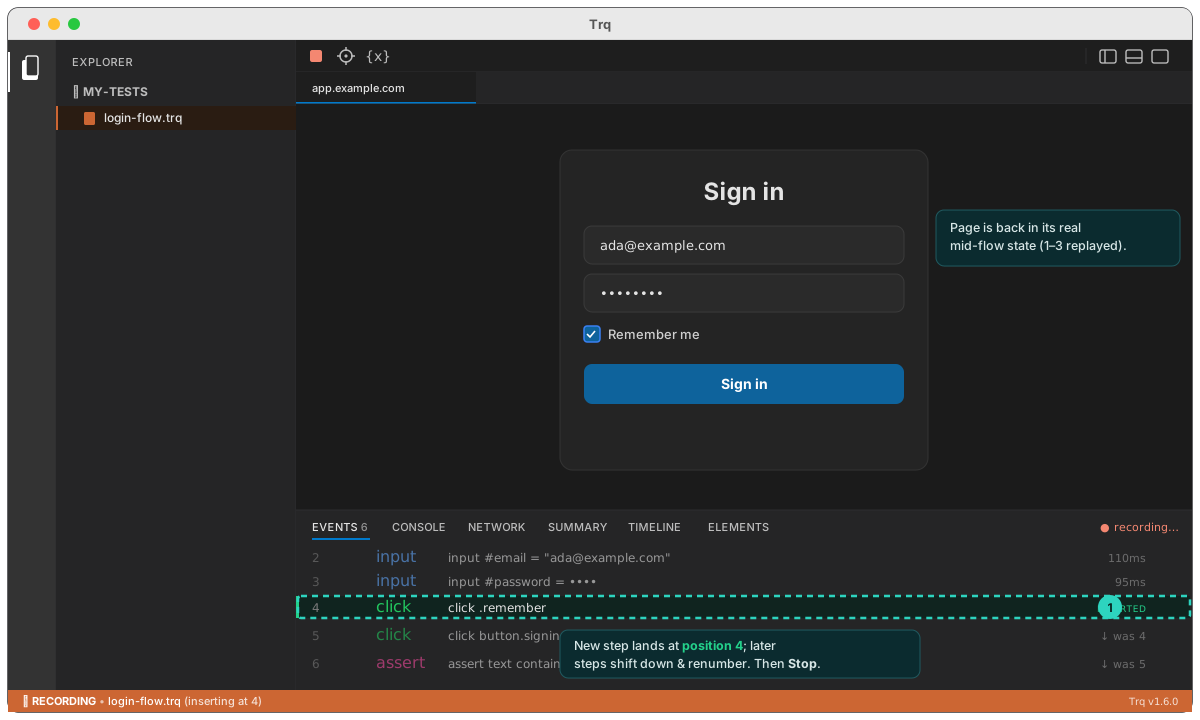
- Click Stop recording when done.
- Click Play to verify the full flow end-to-end.
How it helps
- No re-recording. Add a forgotten click/input/assert in seconds instead of re-capturing a long flow from scratch.
- Correct selectors. Because the page is in its real mid-flow state when you record, the inserted step gets accurate selectors and coordinates — not guesses.
- Insert several at once. Record multiple steps in one sitting; they land in order at the insertion point.
- It's just Resume, generalized. Right-clicking the last step (or using plain Resume) is the same thing with the cursor at the end.
The original later steps are left untouched on disk and are not re-run during the insert — that's why you finish with a quick Play to confirm the combined flow. Today this is a single-tab insert; for steps that span multiple tabs, record them at the end via Resume.