Branch a test — fork the first N steps
Often several tests share the same beginning — log in, navigate to a section, open a form — and then diverge. Branch from here forks the common prefix into a brand-new session so you don't re-record (or copy-paste) the shared steps.
How to use it
- Open the Events tab and right-click the step you want to branch at.
- Choose "Branch from here (steps 1…N)".
- A dialog asks for the new session's name (defaults to
<name>-branch). Enter one and click Create branch.
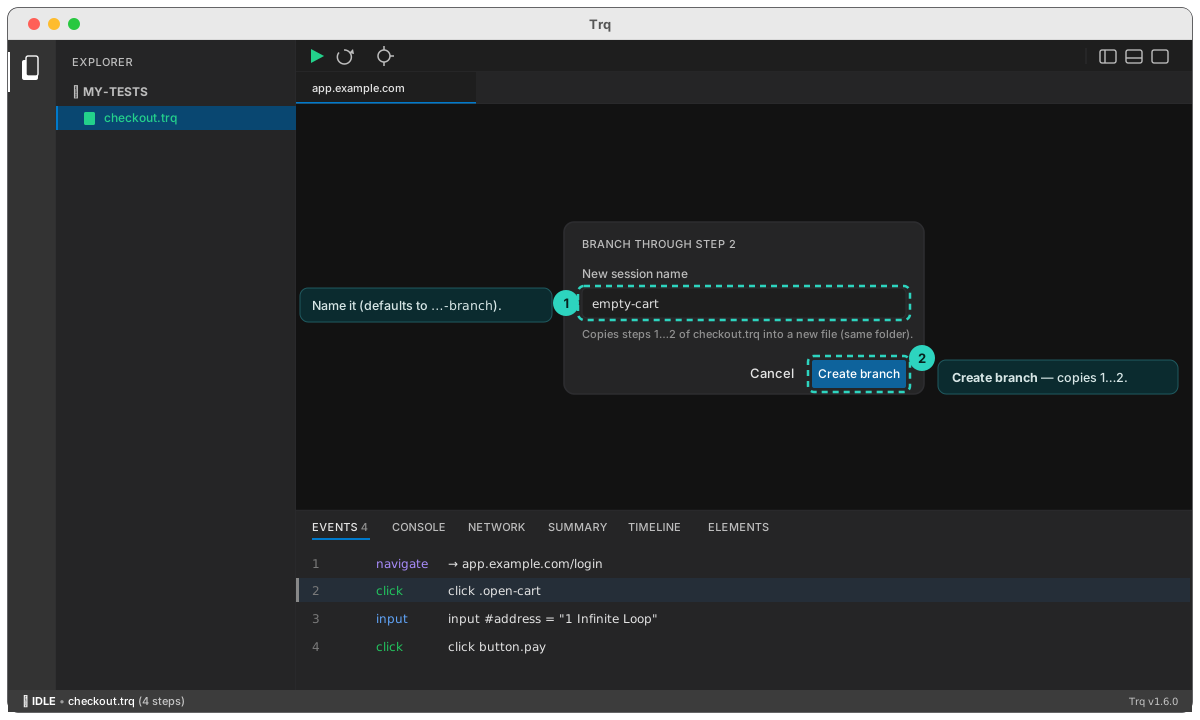
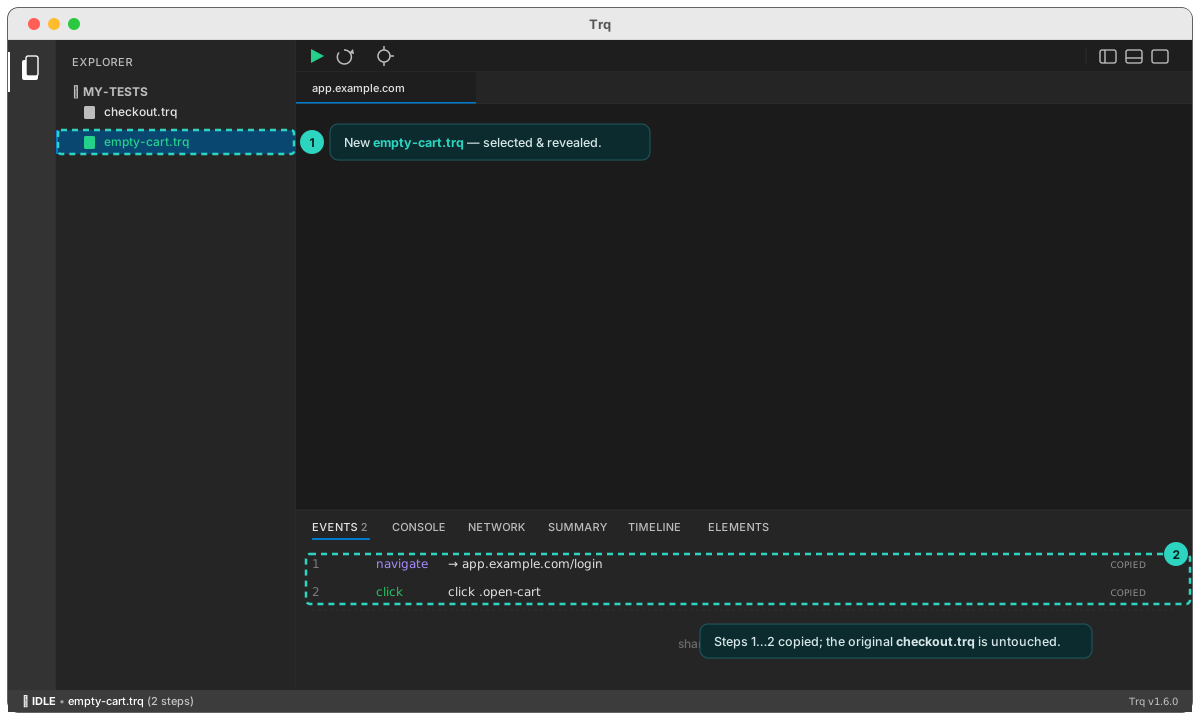
The original session is untouched — branching only ever copies the prefix.
Example
You have checkout.trq: login → open cart → enter address → pay. You also need a test for the empty-cart path, which shares the first two steps:
checkout.trq
  1 login
  2 open cart
  3 enter address
  4 pay
Right-click step 2 ("open cart") → Branch from here (steps 1…2) → name it empty-cart. You get:
empty-cart.trq
  1 login
  2 open cart        ← shared prefix, copied
                     ← now Resume and record "assert cart is empty"
How it helps
- No duplicated recording. Re-use a verified login/setup prefix across many tests instead of recording it (and maintaining it) N times.
- Safe experimentation. Try an alternate path on a copy without risking the working original.
- Pairs with Resume. Branch to get the prefix, then Resume to record the rest.
Branch copies the session's config (viewport, locale, fake media, …) and re-numbers the copied events. The new name can't contain
/(it's created in the same folder as the source).