Variables & chaining
Real API tests are sequences: log in, use the token to create something, then read it back. Trq chains requests with variables — one request extracts a value from its response, and later requests reference it as {{var.NAME}}.
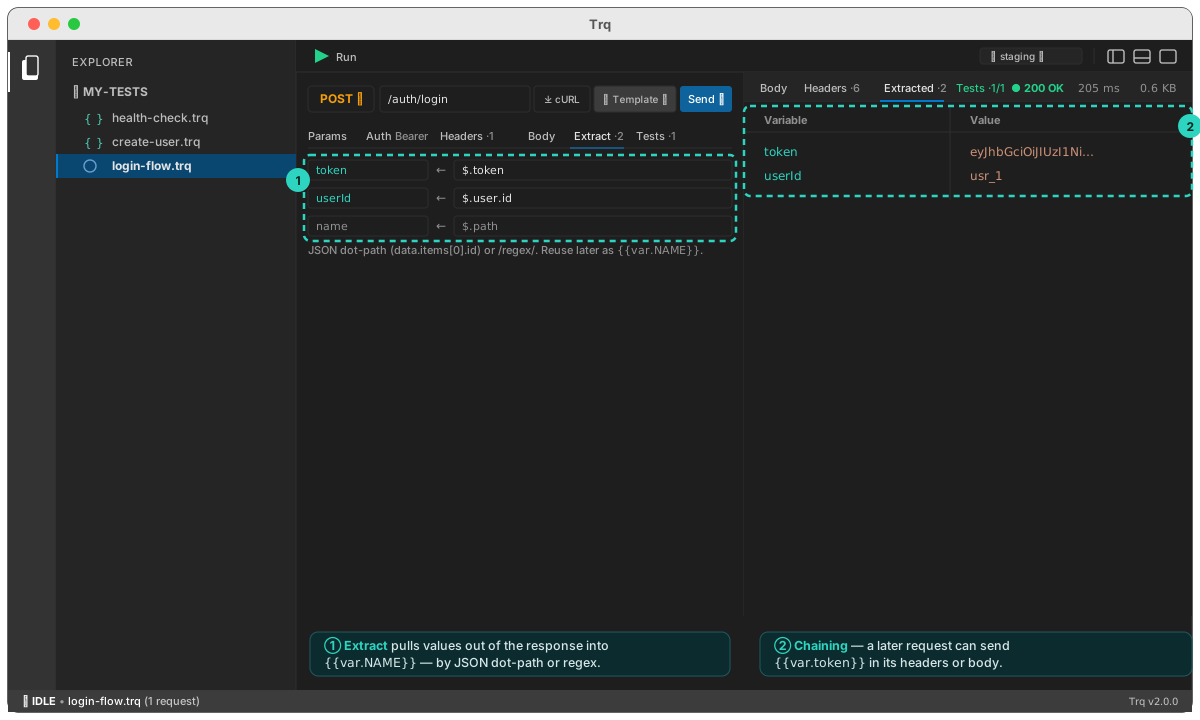
Extract from a response
Open a request's Extract tab and add a row per value you want to keep: a variable name on the left, and a JSON dot-path (or /regex/) on the right.
token   ←  $.token
userId  ←  $.user.id
Paths use JSONPath-lite: a leading $. is optional, and array indexes work — data.items[0].id.
You don't have to write them from memory. After a Send, the path field suggests the paths that exist in your own response, each with the value it holds — type to filter by either. The field also tells you live what your path resolves to, and says why when it doesn't:
merchantId = data.id             → mrc_8821
token      = data.tokn           no match          ← valid path, this response has no such field
qty        = data.items[0.qty    ✗ Unterminated [  ← the selector itself is wrong
csrf       = data.id             not JSON          ← use a /regex/ instead
Those are three different fixes, which is why they read differently.
For a JSON response, the Body tab also has a fields toggle: every path listed with its value and a one-click extract on each — useful when you're deciding what to keep while looking at the response, rather than typing a path afterwards from another tab.
After a Send, the Extracted response tab shows each variable and the value it captured, so you can confirm the path before you rely on it.
Use it downstream
Any later request references a captured value as {{var.NAME}} — in the URL, a param, a header, the auth fields, or the body:
GET  {{env.baseUrl}}/users/{{var.userId}}
Authorization: Bearer {{var.token}}
Type {{ in any of those fields and Trq offers the variables the earlier requests in this case extract — grouped, and each showing the step that produced it and the value it held on the last run:
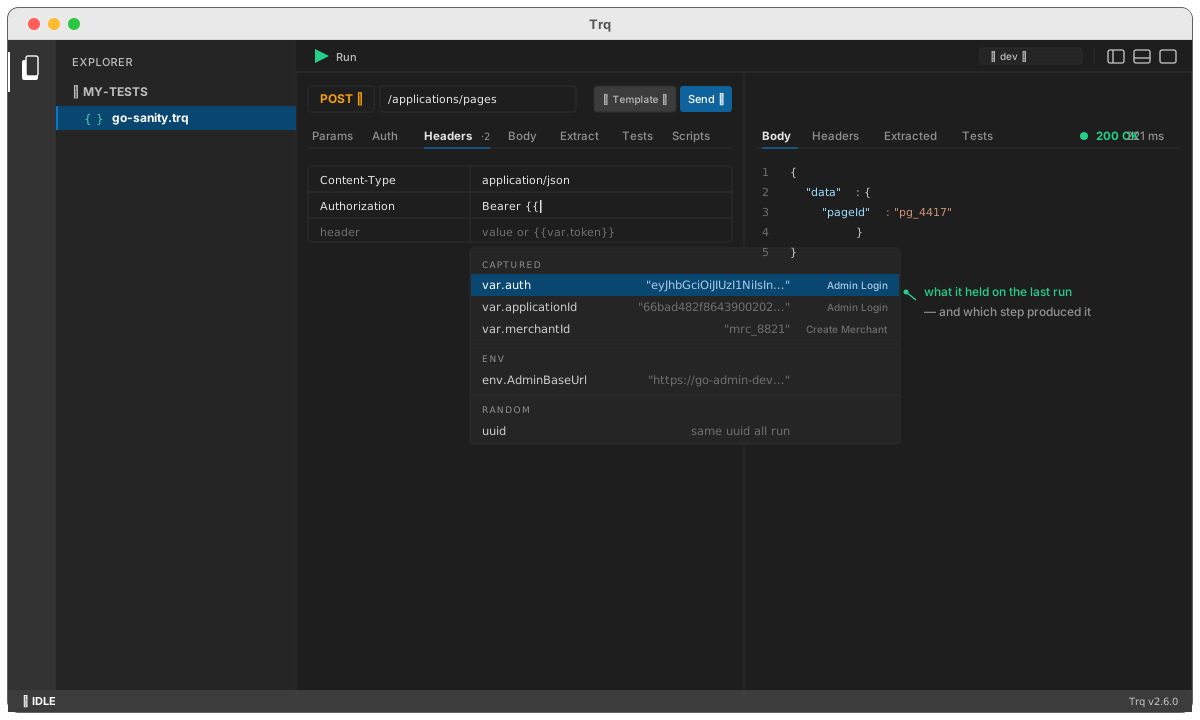
The last-run value matters more than it looks: two requests routinely extract something called id, and the value is the only thing that tells them apart.
Only variables produced before the request you're editing are offered — a later one couldn't resolve. And if you type a {{var.x}} nothing produces, Trq says so as you type:
⚠ var.merchntId is not produced by any earlier step — did you mean merchantId?
Worth flagging, because the failure is otherwise silent: an unresolvable token is sent as literal text, so a typo surfaces as a puzzling 404 against a URL that still has braces in it.
That's the whole chaining model: a login request extracts token, a create request sends Bearer {{var.token}} and extracts the new id, a verify request reads /users/{{var.id}}. Three rows, no code.
Extracted variables live for the duration of a Run and flow top-to-bottom through the case. Only the instruction (the path) is saved in the .trq file — never the captured value — so each run reflects live data.
Sending one request in isolation
When you Send a single request that references {{var.*}}, Trq offers to first run the earlier variable-producing requests so the token is seeded — so you can author a mid-chain request without running the whole case each time.
Reusable values
Besides captured variables, Trq generates a few values once per run and reuses them across every request, so a create and its later lookup agree:
{{uuid}}— a random UUID ({{uuid(8)}}for a short id / substring){{randomNumber}},{{randomString}}{{timestamp}}— the run's start time
Insert them from the + Template ▾ menu (or type {{). For distinct values in the same run, add a label: {{uuid:a}} and {{uuid:b}}.
Next: point the same chain at different environments, or run the whole case.