Your first request
API testing lives in the Trq desktop app — download it for macOS if you don't have it yet.
An API session is a list of HTTP requests you build, send, and assert on — no browser involved. You'll go from an empty session to a live response in about a minute.
1. Create an API session
In the EXPLORER sidebar, click + New session (or right-click the project → New session). In the dialog, set Target to ⚡ API, give it a Name like health-check, and click Create.
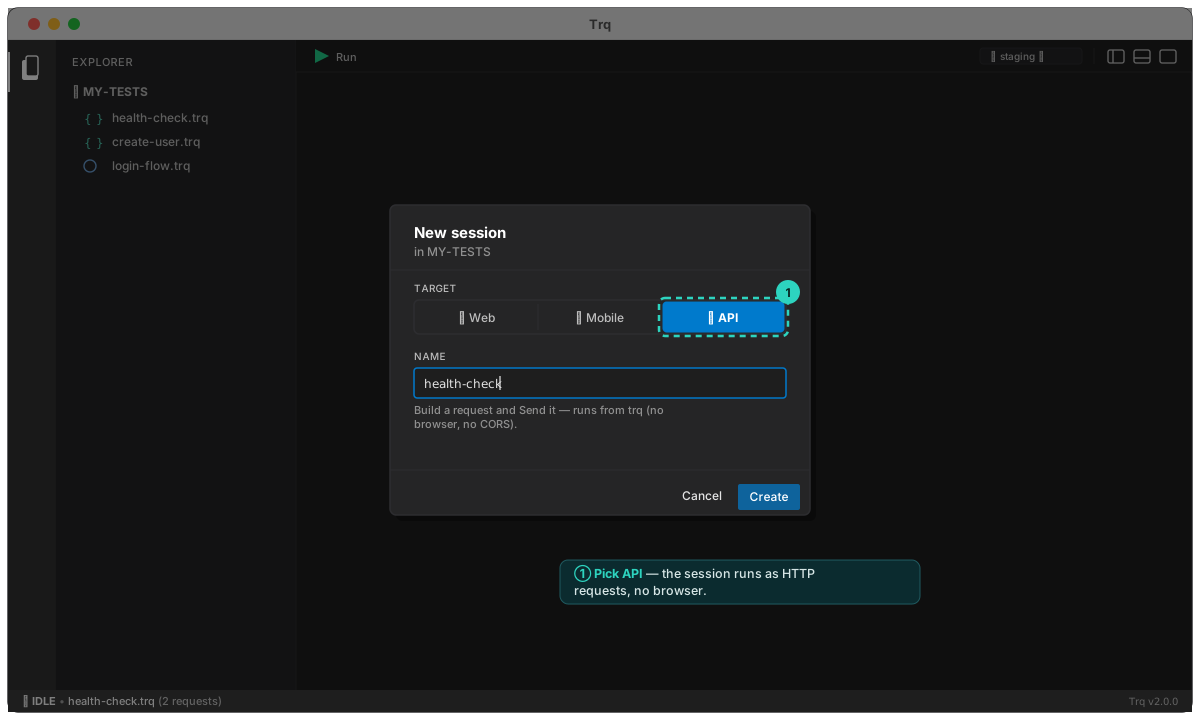
The session opens with an empty request builder split into two: the request on the left, the response on the right. API sessions carry a distinct teal { } icon in the explorer so you can tell them apart from web (🌐) and mobile (📱) at a glance.
2. Build a request
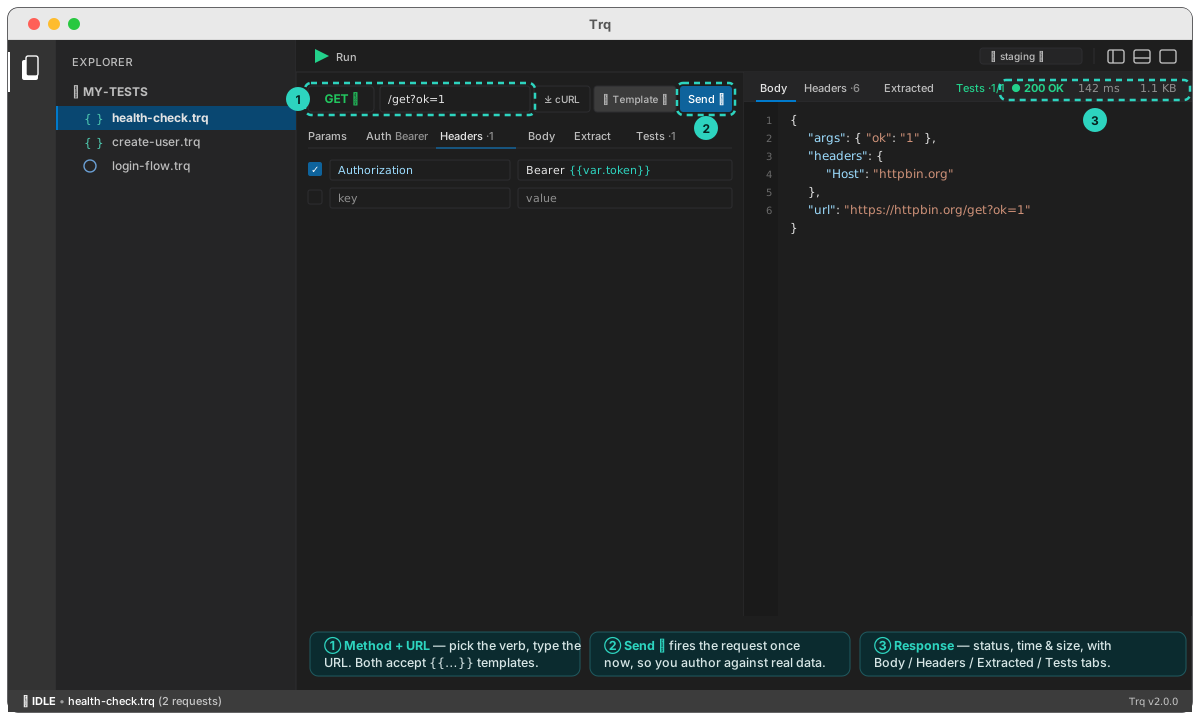
Pick the method (it's color-coded — green GET, amber POST, …) and type the URL. For your very first send, use a public endpoint that works out of the box:
GET https://httpbin.org/get?ok=1
Add query Params, Headers, an Auth scheme, or a Body in the tabs below the URL bar — everything accepts {{...}} templates. (More on each in Building requests.)
3. Send
Click Send ▸. Trq fires the request server-side (no browser, no CORS) and fills the right-hand pane with the real response: a colored status chip, the time and size, and tabs for Body, Headers, Extracted, and Tests.
Sending while you author means you're always working against real data — you can see exactly which field to assert on or extract.
4. Add an assertion
Open the Tests tab on the request and add a row: source Status, operator equals, expected 200. Send again — the row gets a green ✓ and shows the actual value. That's a real check that will run on every replay.
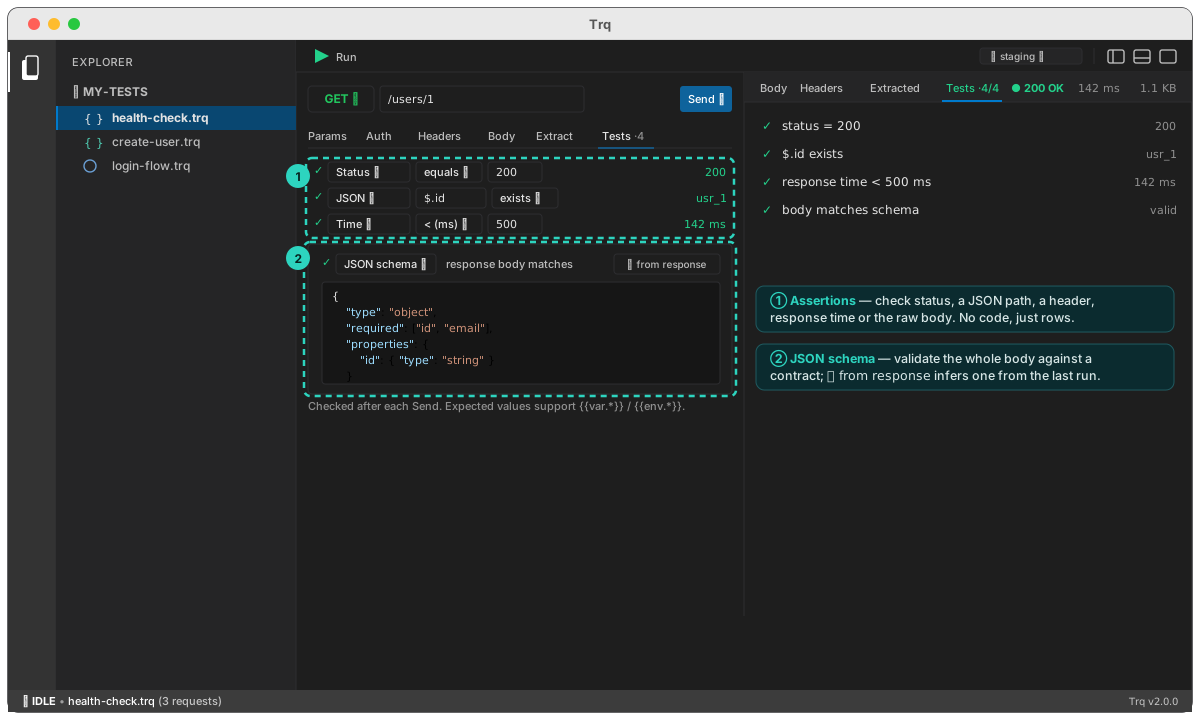
See Assertions for JSON-path checks, response-time budgets, and whole-body JSON Schema validation.
5. Run it
A session can hold many requests (add them from the Requests tab in the bottom panel). Press ▶ Run in the toolbar to replay the whole case top-to-bottom. Each request lights up as it executes, variables pass from one to the next, and the Summary tab tallies a verdict.
That's a complete API test — built, sent, asserted, and repeatable. Next: go deeper on building requests, or learn how requests chain with variables.