Conditions
:::tip Guarding more than one request
This page is about a condition on a single request. To put a group of them
behind one condition — with else and else if — see
if / else blocks.
:::
An API case runs top to bottom: every request, every time. A condition changes that for one request — it runs only when the condition holds, and is skipped otherwise.
Skipped is not failed. A skipped request is reported as skipped with the reason, the case keeps going, and the run can still pass.
Adding one
Select a request and open the Condition tab, last in the strip. Press + Add condition and build the sentence:
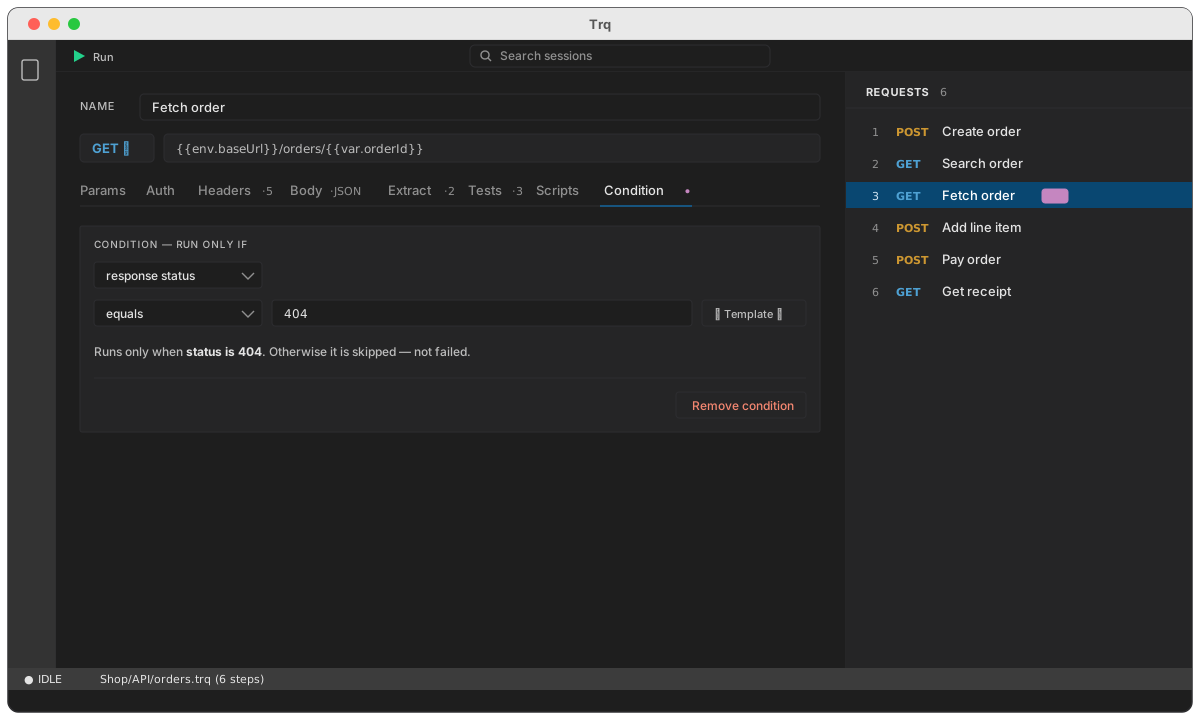
The tab shows a dot — Condition • — once one is set, and the row in the Requests panel carries an if chip, so you can see at a glance which requests are guarded.
The sentence under the fields is the one you'll read later: it's what the row's tooltip says, and what the run reports when the request is skipped.
What a condition can read
| Source | Reads | Example |
|---|---|---|
| response status | the previous response's HTTP code | equals 404 |
| response JSON path | a path in the previous response body | data.found equals false |
| response header | a header from the previous response | x-order-state equals paid |
| a value / variable | any templated string | {{var.token}} is not set |
The three response sources read the previous response — the most recent request that actually executed. That isn't always the row above: a request skipped by an earlier condition never produced a response, so it's passed over.
Picking response JSON path offers the paths from the last response you ran, grouped, exactly as the Extract tab does:
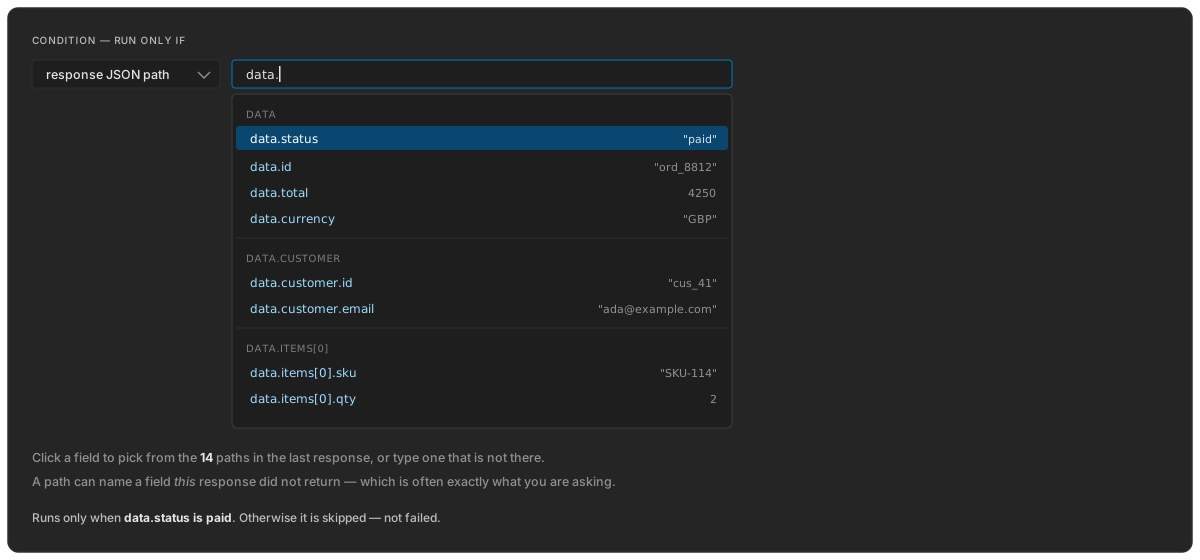
Typing is still free-form — a path can name a field this response didn't return, which is often precisely what you're asking about.
What you'd use it for
Skip unless the state is right. A request that only makes sense in some states.
Run only if {{var.status}} equals pending
Never run this against production. A destructive cleanup request, gated on the active environment.
Run only if {{env.name}} does not equal prod
Bootstrap when something is missing. Log in only when there's no token yet, so the case is re-runnable without an edit.
Run only if {{var.token}} is not set
Branch on what just came back. Reading the response directly means you don't have to capture a value into a variable first just to ask a question about it.
Run only if   response status   equals   404
Run only if   data.status       equals   paid
Operators
equals, does not equal, contains, does not contain, matches regex, is less than, is greater than, is set, is not set.
These are the same operators the Tests tab uses, judged by the same rules — status equals 404 means exactly the same thing in both places.
is set / is not set ask about presence, so they take no value. An unresolved {{var.x}} counts as not set — which is what makes the bootstrap case above work.
In a run
A skipped request appears in the results with its reason, and the case still passes:
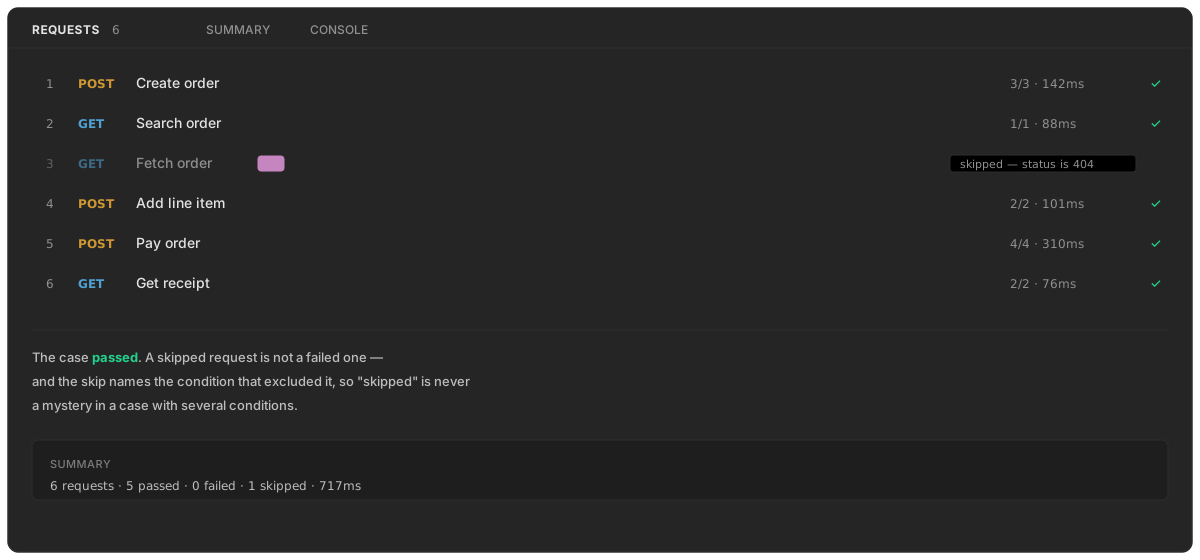
"Skipped" on its own would tell you nothing in a case with four conditions, so the condition that excluded it is named. The report and the CLI show the same.
A condition is evaluated when the run reaches it, not before. That matters because a condition on step 40 usually reads a response that only exists once steps 1–39 have run.
Removing one
Remove condition at the bottom of the tab. The request goes back to running every time; nothing else about it changes.
See also
- Variables — capturing values a condition can read
- Assertions — the same operators, used to pass or fail a request
- Scripts —
trq.skip(), for a skip that needs real logic - Running a case — how skipped requests appear